 BringMyChats
Move your ChatGPT history to Claude
BringMyChats turns years of ChatGPT chats into ready Claude Projects — grouped by topic, with your files and your ChatGPT Projects kept as projects. Claude can pick up where you left off.
Chrome extension · $9.90 one-time for the move · Your chats never touch our server
How it works
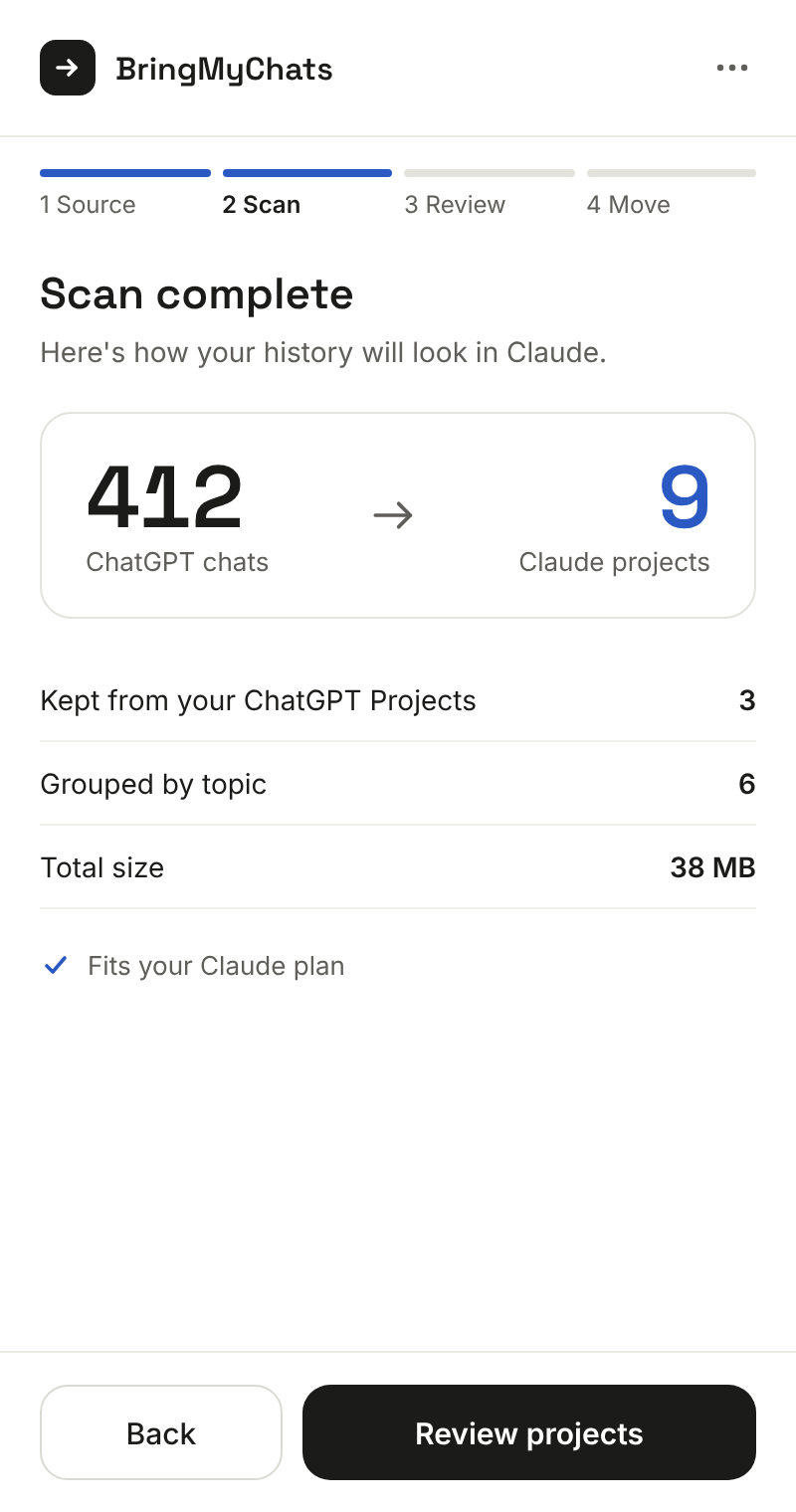
A few short steps in a side panel next to ChatGPT. The scan is free — you see exactly what you’ll get before paying.
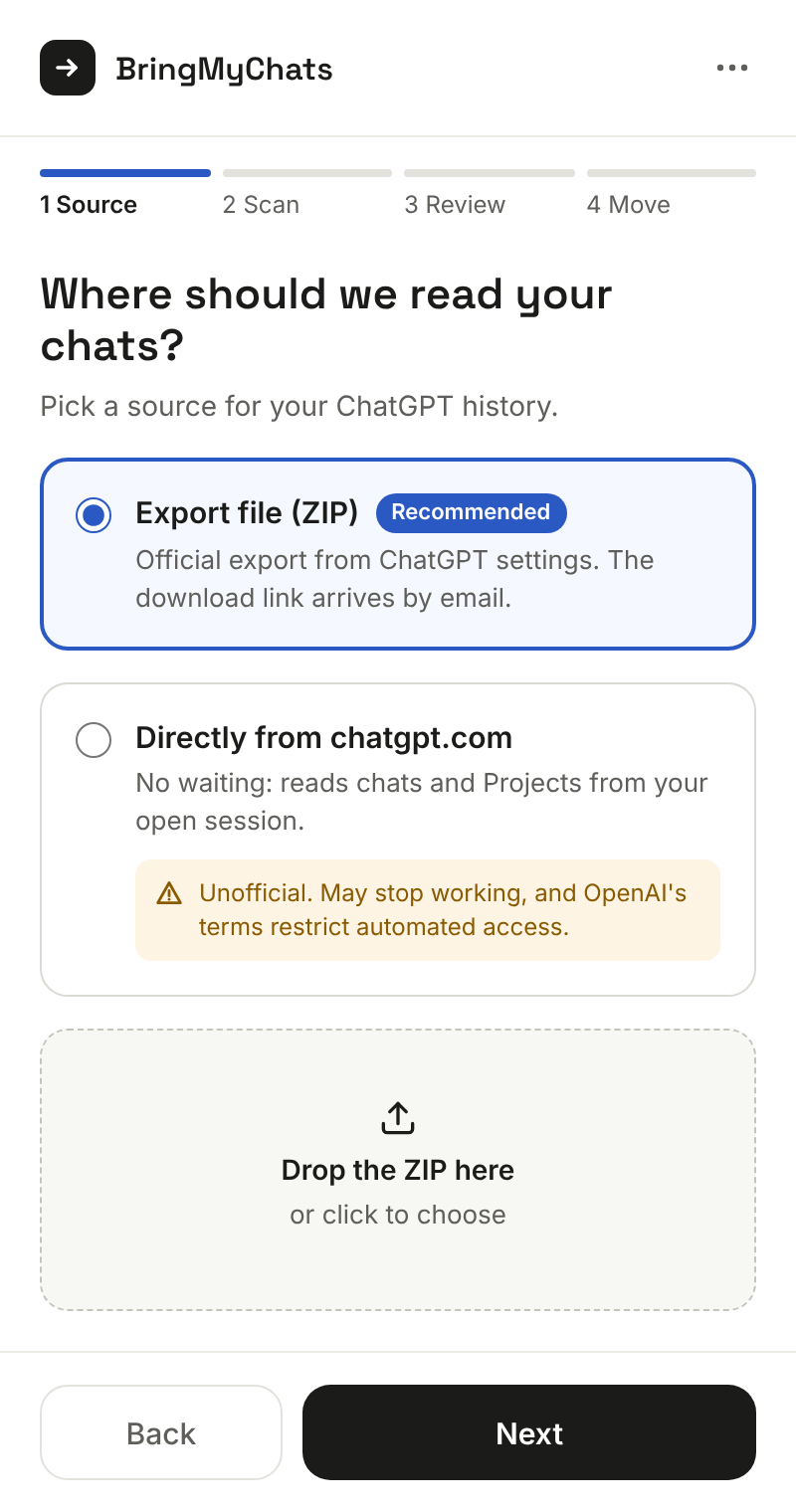
Bring your history
Drop the export file from ChatGPT’s settings (Data controls → Export data). Or read it directly from your open chatgpt.com tab — no waiting for the email.
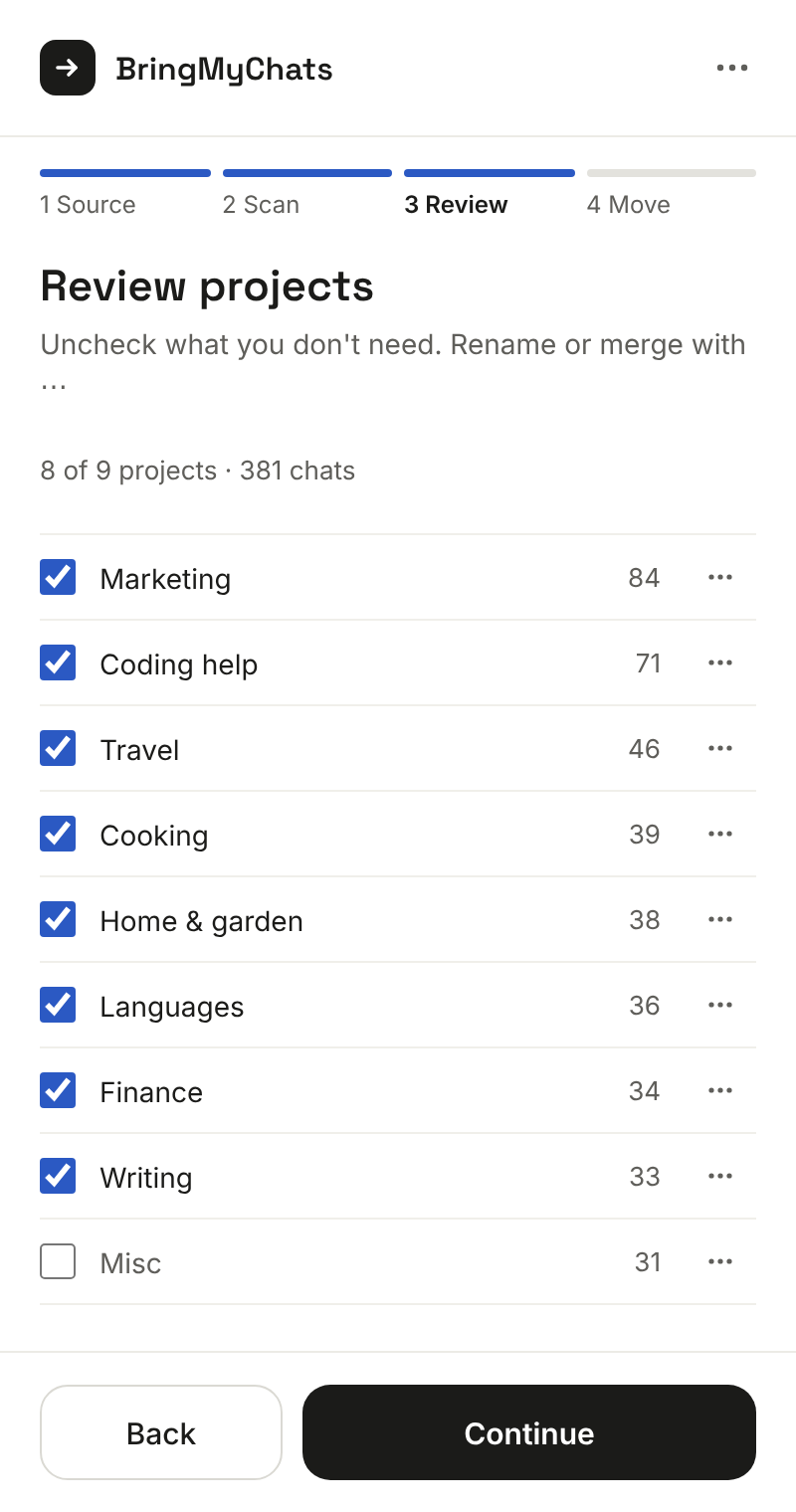
Review the projects
BringMyChats groups chats by topic and keeps your ChatGPT Projects as they are. Uncheck, rename or merge before anything moves.
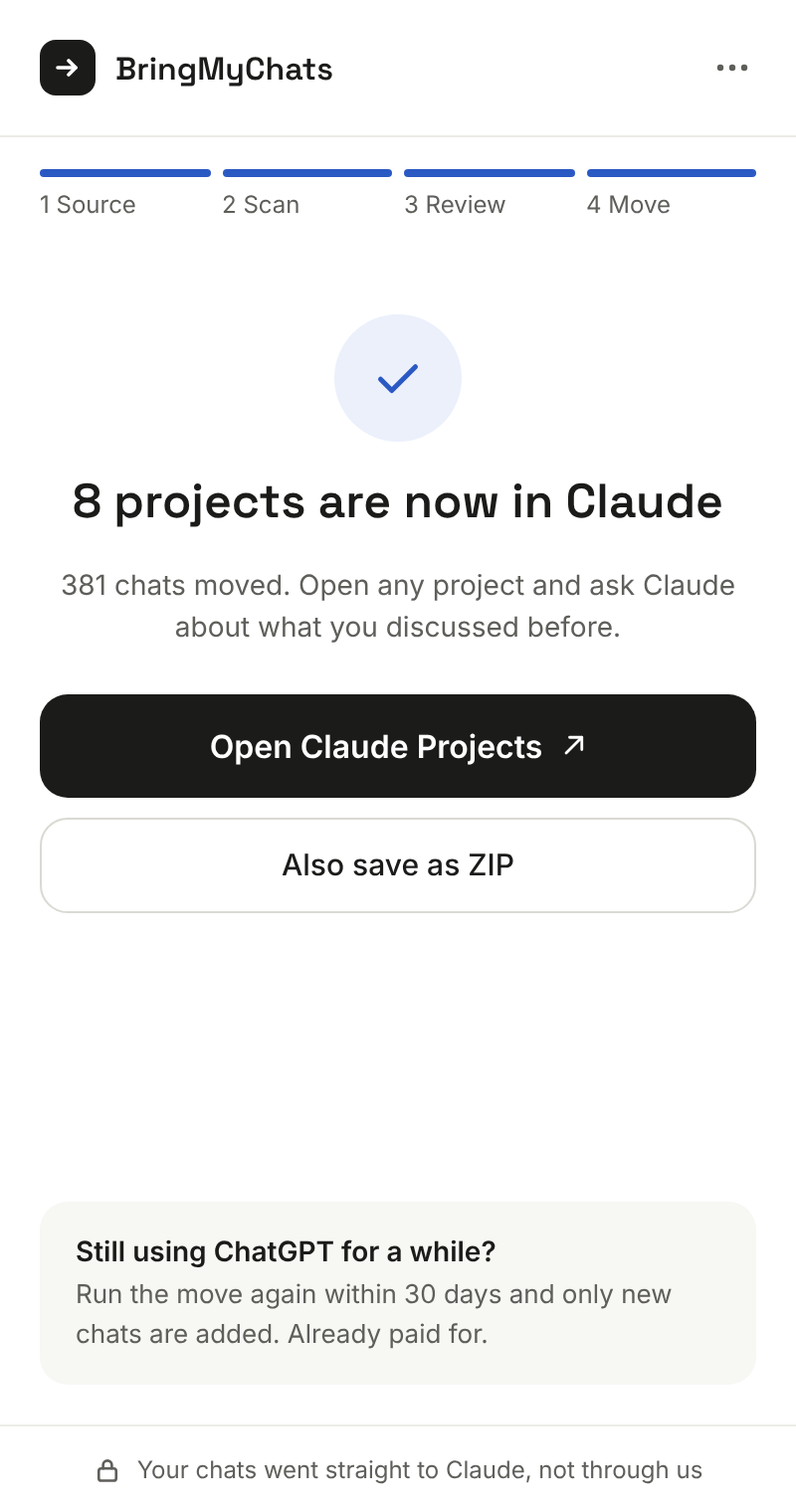
Move to Claude
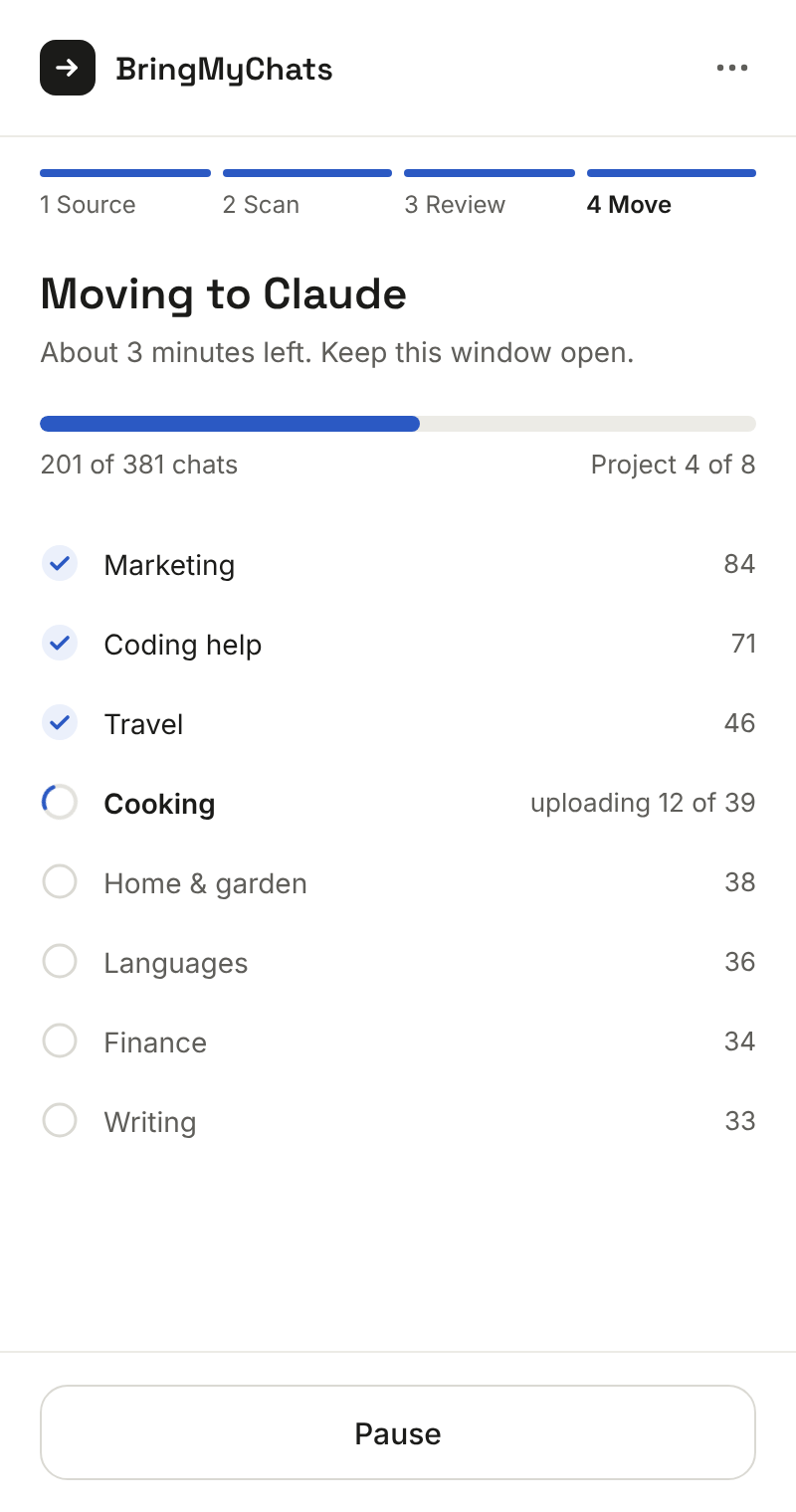
Projects, instructions and one file per chat are created in your Claude account automatically. Prefer to do it yourself? Get a ZIP with a folder per project.
Nothing gets lost on the way
Grouped by topic
Hundreds of chats become a handful of focused projects with readable names. Long topics are split so each project stays within Claude’s knowledge limits.
ChatGPT Projects stay projects
Each ChatGPT Project becomes a Claude Project with its chats and files.
Files and images come along
Attachments Claude accepts are uploaded into the project and linked from the chat. Anything Claude can’t take is listed and saved for you as a ZIP.
Safe to stop and resume
Close the panel or restart Chrome — the move continues where it stopped, without duplicate projects.
Still using ChatGPT?
For 30 days after your move, run it again and only new chats are added to the same Claude projects. Already paid for.
Free one-click export
An Export button next to Share on chatgpt.com and claude.ai saves the open chat as Markdown, JSON or plain text.
Your chats stay with you
BringMyChats works inside your browser, with your own chatgpt.com and claude.ai sessions. Your conversations go straight from your browser to Claude — never through our server. Our server only sees a license key, a random install ID and, when you buy, your email for the key. No analytics, no ads, no remote code. Read the privacy policy.
Pricing
Pay once, when you’re ready to move. No subscription.
Free
- Export any open ChatGPT or Claude chat to Markdown (Claude chats also to JSON and plain text)
- Scan your ChatGPT history and preview your Claude projects
Move to Claude
- Move your whole ChatGPT history into Claude Projects — automatically or as a ZIP
- Add new chats to the same projects for 30 days
- Export all your Claude chats as a ZIP — forever
- Works on 2 computers
- Full refund within 14 days, no questions asked
Questions
Is this an official OpenAI or Anthropic tool?
No. BringMyChats is an independent extension. It uses ChatGPT’s official data export and your own Claude account, the same way you would by hand — just much faster.
Do I need a paid Claude plan?
No. On the free Claude plan Claude allows only a few projects, so BringMyChats fits your chats into the projects you have room for. With a paid plan each topic gets its own project.
Will my chats continue in Claude?
Each chat is saved as a file in the project’s knowledge, so Claude can read it. Open the project, start a new chat and ask about anything you discussed before.
How long does it take?
The scan takes seconds. Moving runs at a gentle pace so Claude isn’t overloaded — usually a few minutes for a few hundred chats. You can close the panel meanwhile.
Where is my data stored?
In your browser only, until it goes straight to your Claude account. Removing the extension removes it. Our server never receives your chats.
What if it doesn’t work for me?
Write to support@bringmychats.com — we’ll help, or refund you in full within 14 days of purchase.